





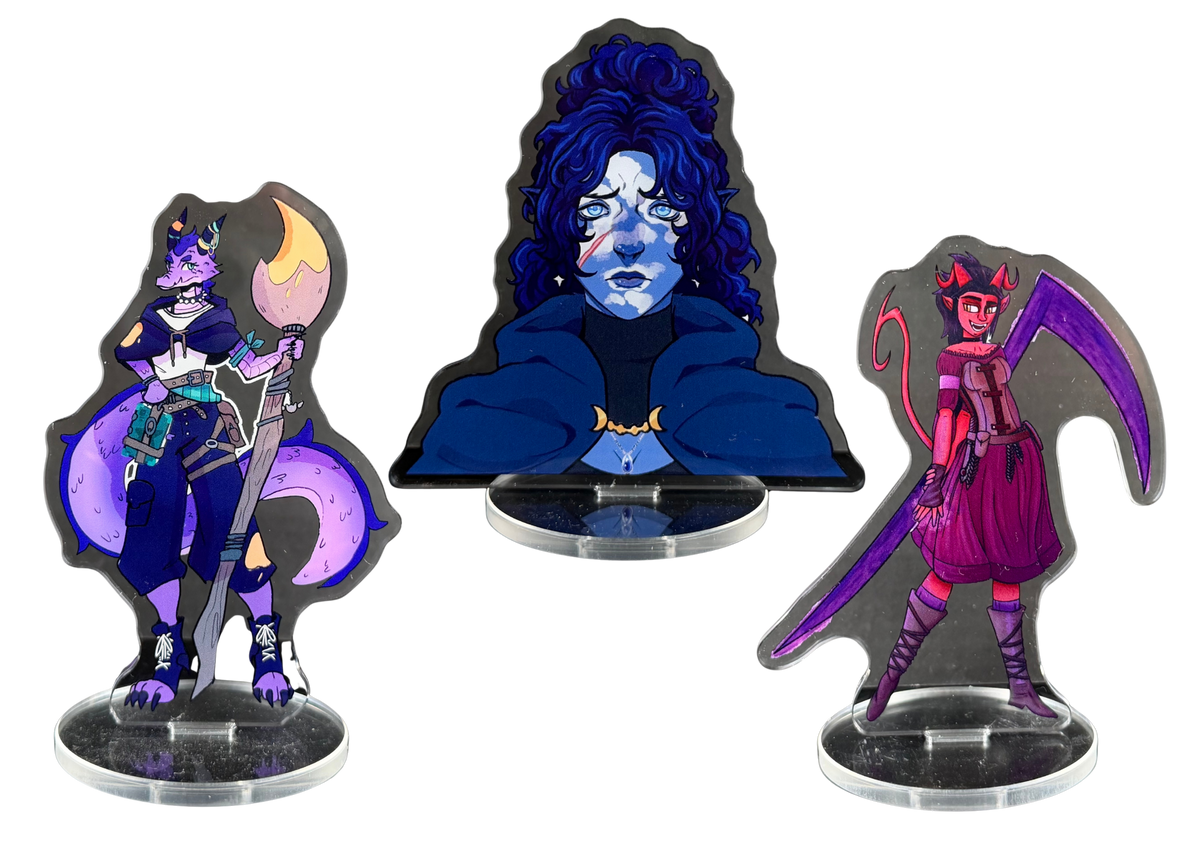
From Myth to mini
Create your own mini
Upload your artwork and turn your own characters into
real acrylic miniatures!

SEB
Your custom creations!
“Making a mini using the website was quick and easy and the results were great! The mini's have great color accuracy and despite the small print the lines are still crisp and clear. 100% satisfied!”

Wieke
Your custom creations!
“The site was super easy to navigate, giving a quick idea of the final result. Print quality is fantastic, even the smallest details are visible. The sturdy, super clear material is the perfect size for my DnD display. It arrived beautifully packaged and scratch-free. Totally happy!”

Marijn
Your custom creations!
“Excelent! The packaging immediately caught my eye with its sleek design. The minis I ordered were very clean, with great print quality. Would defnitely recommend for anyone looking to up their campaign with custom high-quality minis at a low price-point.”

Jikke
Your custom creations!
“Absolutely love this product! It’s such a cool addition to your dnd campaign. Your character comes to live with this mini as a visualizer! The quality is impeccable and it was packaged very nicely!”

EmmA
Your custom creations!
“The website was easy to use, and the miniature turned out really beautiful. The colors stayed vibrant, and despite the small size, the image is still sharp and easy to read.”
Before You Upload — By uploading artwork and placing an order, you confirm you own the rights to it (or have permission to use it) and agree to our Create Your Own Mini Terms. Read the Terms
Before we create your mini
-
Copyright & Trademarks
Copyrighted artwork, logos, and licensed IP will not be produced. Affected orders may be cancelled and refunded.
-
Nudity & Adult Content
Explicit imagery and adult content are not permitted. Uploads of this nature will be rejected before entering production.
-
Manual Cutlines
Every order is reviewed by our team before production. Cutlines are refined by hand for clean, accurate results.
The configurator is only a preview.
Upload artwork with a transparent background to see a live preview! Images with a background? No problem, we manually clean up every design before production.
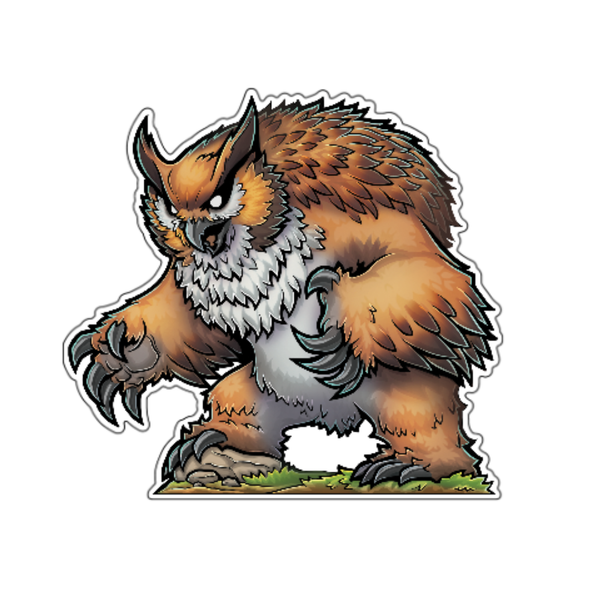
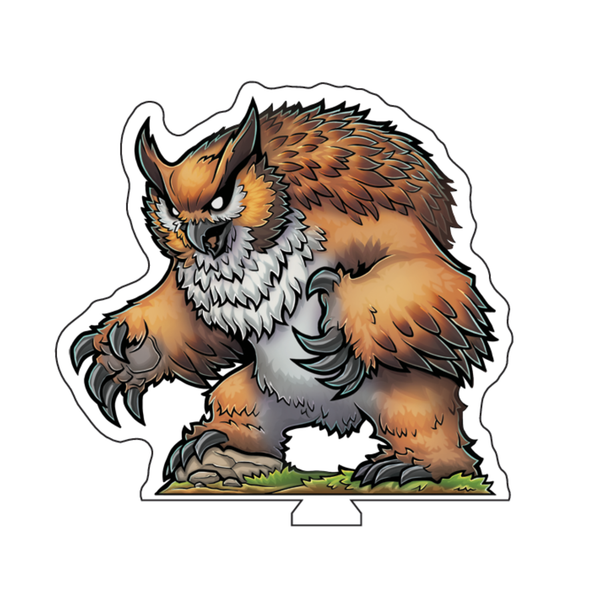
To see what your artwork looks like as acrylic mini, upload a PNG with a transparent background. A preview render will be made!
Upload your artwork
PNG or JPG, max 50MB. Use a TRANSPARANT background to see a preview of your mini!
Drop your artwork here
or click to browse files
If your image has a background, no miniature preview will appear above; we’ll remove the background manually before production, so your mini comes out perfectly!
Your preview will appear here
Choose size
Our minis use 28-32mm heroic scale, the same proportional system used in tabletop RPGs like D&D and Pathfinder. A standard human character measures roughly 28-32mm from feet to eye level, and all other creatures are sized relative to that, just like with traditional miniatures. The acrylic is always slightly taller than the character itself. Designs with protruding elements such as raised weapons, wings, or tall headgear may exceed the standard size slightly.
Image Best Practices
A great mini starts with great art. Follow these guidelines to make sure your image is crisp, clean, and ready to become a miniature.
Start With a Clean Background
Every image used in the configurator should ideally have a transparent background. A clean PNG file gives Mythium everything needed for a precise, professional cut.
The configurator includes an automatic background remover, but results depend on image complexity. For the cleanest output, we recommend removing the background yourself using a free tool or a design app like Photoshop or Canva.
Don't worry if the automatic tool clips a small detail: Mythium always receives your original file. If something is over-removed, we can restore it manually before production.

Use the Right Resolution
Resolution directly affects how sharp your mini looks. A low-resolution image stretched to print size will appear blurry or pixelated, especially noticeable on minis where fine lines and textures matter most.
We recommend using 300 DPI. DPI (dots per inch) describes how many ink dots are packed into each inch of the printed surface. More dots means finer detail and crisper edges on the finished piece.
See the minimum pixel dimensions for each size below.
Please note that a higher resolution is ALWAYS better. Uploading higher resolutions than the minumum will provide better results.

Minimum Dimensions
Small — 400 × 200 px
Minimum for our smallest minis. Use this only when a higher resolution is not available. A higher resolution will always provide better results.
Medium — 450 × 250 px
Recommended for standard minis. More pixels means sharper fine lines and textures, especially for detailed character art. A higher resolution will always provide better results.
Large — 650 × 350 px
Required for our largest formats. A higher resolution will always provide better results.
Add an Outline for Extra Clarity
If your art style allows it, adding a thin black outline around your character makes a significant visual difference on the finished mini. Acrylic is a reflective material, an outline helps the figure read clearly from any angle, even in varying light conditions.

Give Your Character a Base to Stand On
Characters that have their feet on varying heights or that have nothing beneath them, can appear to float on the finished mini. It is a small detail that makes a big visual difference.
We recommend placing your character on a small piece of ground, grass, stone, or any surface that fits the scene. Even a few pixels of texture at the bottom grounds the figure and gives the mini a finished, professional look.
